For Claude Code, Codex, OpenCode and Antigravity
One deck
for all your
agents.
Run your agent CLIs side by side in shared threads. They hand work to each other where you can see it, and every reply, diff and approval lands in one place: your terminal, a desktop window, or your phone.
curl -fsSL https://raw.githubusercontent.com/dev-dami/deck-releases/main/install.sh | sh
- Claude Code
- Codex
- OpenCode
- Antigravity
The desktop app
Every thread,
a room.
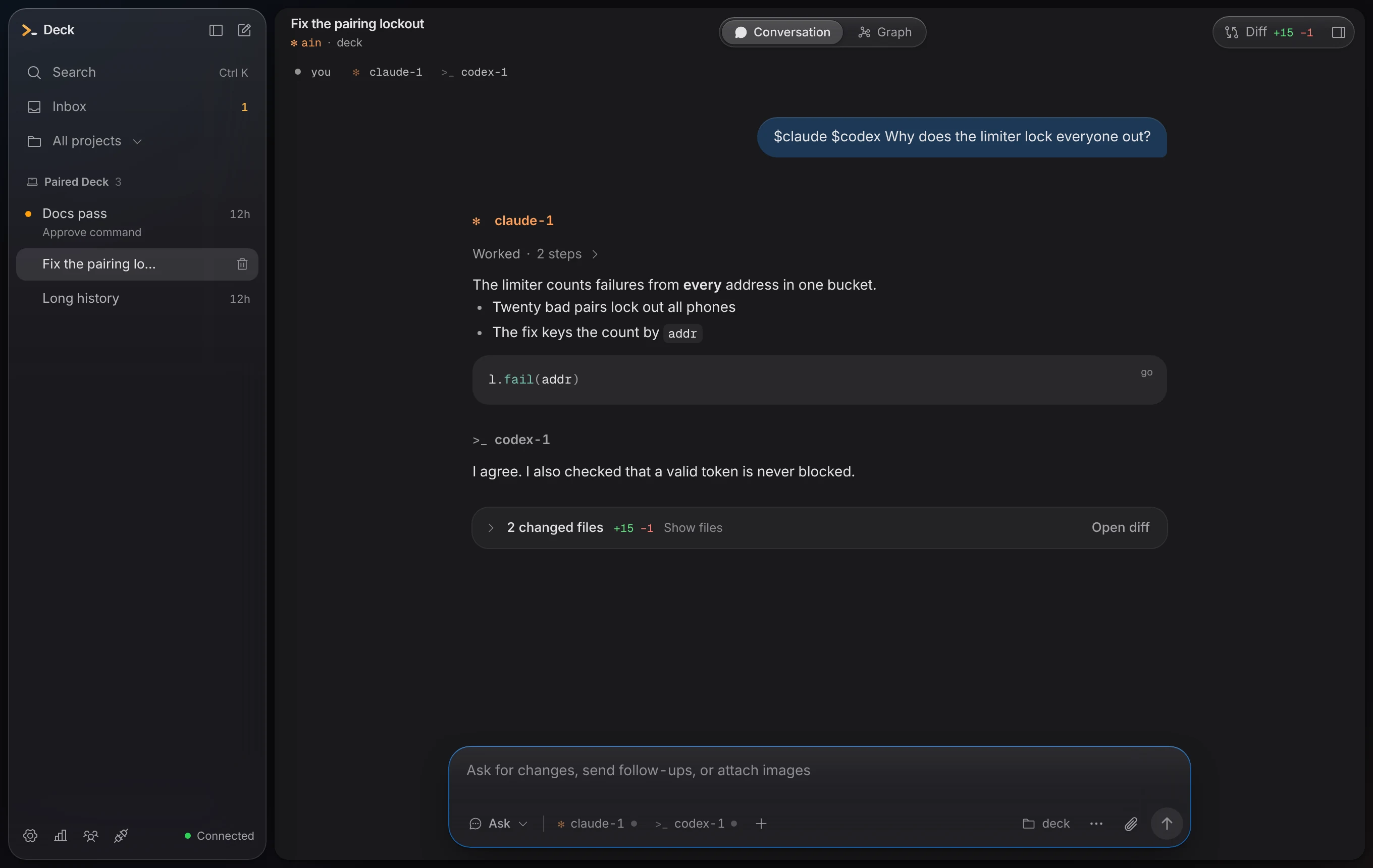
Open a project folder and its threads become rooms. Each one says what it is doing: working, needs you, two agents on one file, done. Diffs, the task board and a terminal sit beside the conversation, and the Graph shows who is doing what.

Carleton E. Watkins, Yosemite Valley from Union Point, about 1872. The Met, public domain.
How it works
Many agents,
one thread.
Name who should answer. Agents pass work to each other the same way, so the hand-off is in the thread and not in a log you never read.
@claude @codex why does the pairing limiter lock everyone out?
Every address shares one failure bucket, so twenty bad codes from one phone lock out all of them. I’ll key the count by address. @codex, can you write the test?
On it: one phone fails twenty times, another still pairs. Running it against claude’s change.
2 files changed · +15 −1 · tests pass
Your CLIs, your plans.
Deck drives the agent CLIs you already have, under your own logins. It never calls a model API and never reads a credential.
Many agents, one thread.
Ask two at once. They hand work to each other in plain sight, start subagents, race on worktrees and review each other's changes.
A shared board.
Agents plan on the thread's task board, claim files before they touch them, and stay inside the budgets you set.
Terminal, desktop, phone.
The same threads in a TUI, a desktop app and a phone remote. Two Decks can link, even behind NAT, through a third they both trust.
Quiet.
No telemetry, no language servers, no MCP servers of its own. The desktop app checks for its own updates, and nothing else phones home.

The terminal app
Or never leave
the terminal.
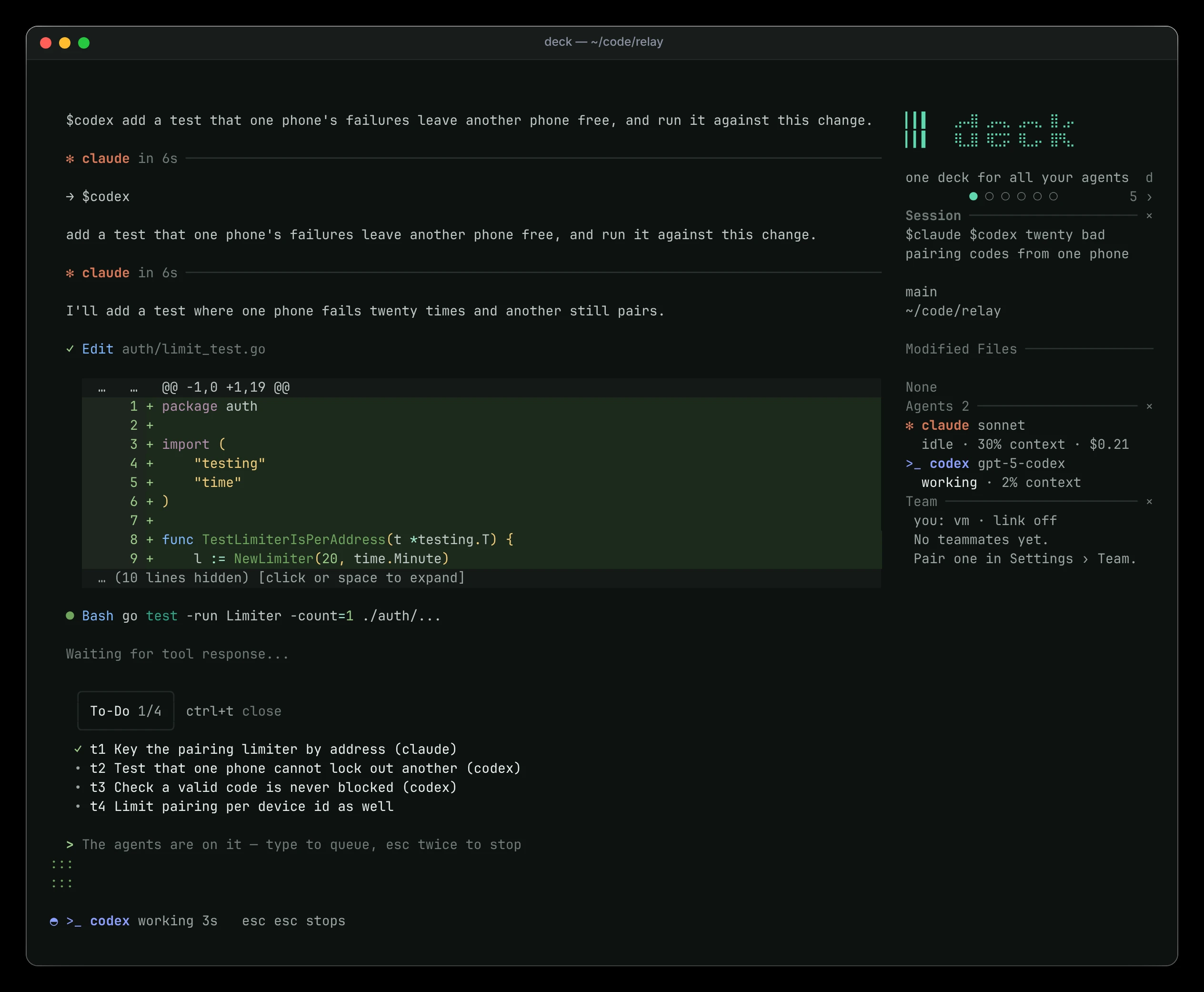
Run deck in a project folder and type. @ picks who answers, # adds a file, Tab switches plan mode, and approvals open with the command or the diff. Panes for tasks, agents and plan usage sit beside the chat.
Install
One line,
then sign in.
The installer puts the latest release in place and checks it against its checksum. Then sign in to claude, codex or opencode yourself, as you always have.
curl -fsSL https://raw.githubusercontent.com/dev-dami/deck-releases/main/install.sh | shpowershell -ExecutionPolicy Bypass -c "irm https://raw.githubusercontent.com/dev-dami/deck-releases/main/install.ps1 | iex"deck doctordeckThe desktop app is in the same releases: a .dmg for macOS, an .exe for Windows, an AppImage and a .deb for Linux. It carries its own engine.